
Pango Parking
Mobile Smart City CorpMaps & Navigation
3.2527.00 Reviews
- Version
- 6.4.6
- Installs
- 100.00K
- Age Rating
- Everyone
Screenshots
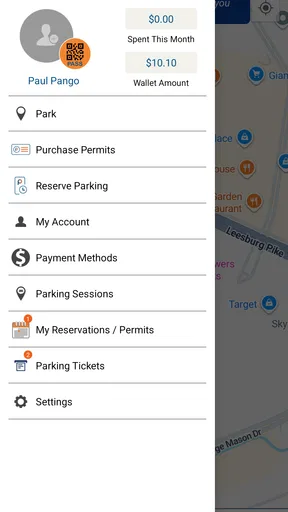
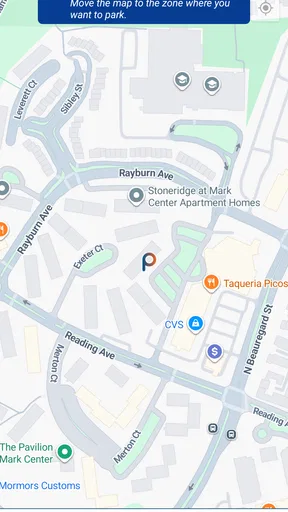
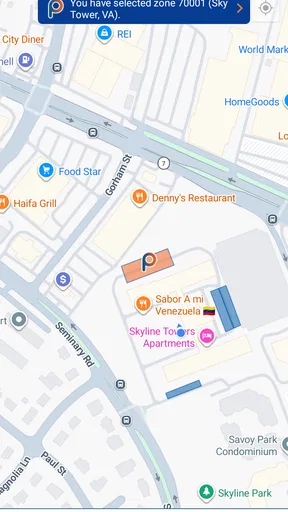
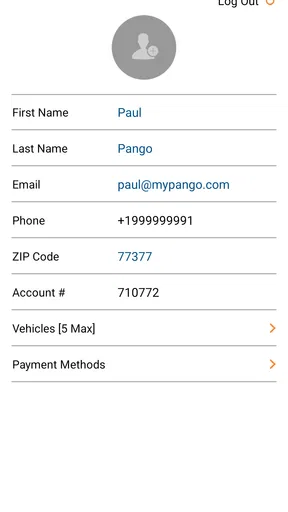
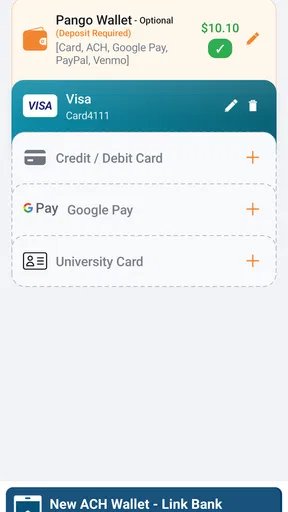
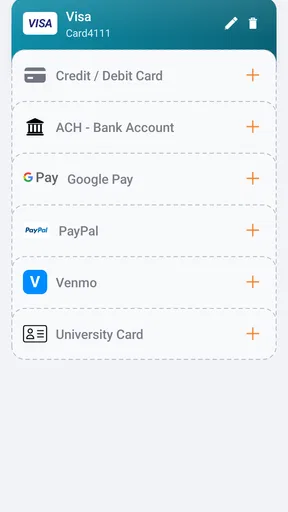
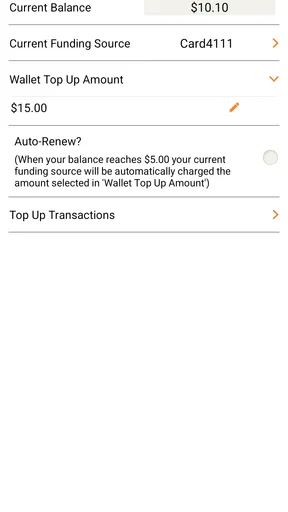
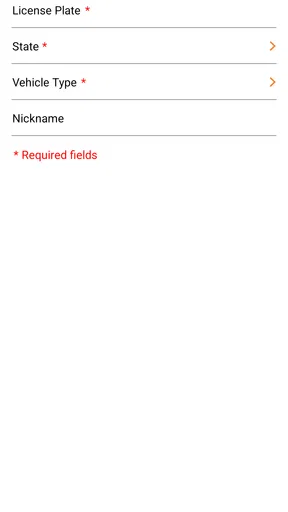
Our Review of Pango Parking
 Analysis by Appyee
Parking is one of those small errands that can turn into a surprisingly expensive distraction. You find a space, read a sign, search for coins or a payment machine, and then try to remember when the session ends. I found that Pango Parking approaches the problem in a more practical way: it puts the parking payment process on the phone and keeps the main task focused on starting a session in the right place. That sounds simple, but simplicity matters when I am standing beside a busy road with a queue of cars behind me.
Developed by Mobile Smart City Corp, this free Maps & Navigation app is aimed at drivers who regularly use participating paid parking areas. It is available for Everyone, works from Android 7.0 onward, and has grown beyond a small experiment into an app with over 100 thousand installs. The current version is 6.4.6, while the project itself dates back to October 2016. Those details suggest a service that has had time to mature, although the experience still depends heavily on the parking locations and payment arrangements available where you drive.
My overall impression is that Pango is most useful when it becomes part of a routine rather than something I open only in an emergency. Once I know where the relevant parking areas are and how the local rules work, the app can remove several annoying steps. It is less convincing as a universal parking solution, and it should not replace reading the street signs. The best results come from combining the app with a few careful habits.
How the everyday parking workflow feels
The basic process is straightforward. I park, identify the applicable parking area, open Pango, and work through the payment flow rather than walking to a meter. The important detail is not speed alone; it is matching the digital session to the exact location. A nearby space can belong to a different zone, have a different time limit, or follow different restrictions. I treat the sign beside the car as the authority and the app as the payment tool.
That distinction is easy to overlook when an app makes payment feel convenient. A map or location suggestion can help me orient myself, but it cannot excuse checking the physical sign. In practice, I first note the zone information, permitted hours, and any restrictions, then enter the corresponding details in the app. This takes a little longer than tapping the first nearby option, but it reduces the risk of paying for the wrong place.
For a normal lunch stop, the workflow is comfortable. I can settle into the car, complete the payment, and get on with the appointment instead of searching for change. It is especially helpful when the weather is poor or when I am carrying bags. The convenience is less dramatic in a quiet street with a nearby working meter, so I would not use Pango automatically just because it is installed.
The app’s store summary presents it as an easy and cost-effective way to pay for parking, and I can see why that description appeals to drivers. “Cost-effective” should be understood as saving time and avoiding unnecessary trips to a machine, not as a promise that every parking session will cost less. The parking authority’s rate and rules still determine the actual charge. Pango makes the transaction easier; it does not change the underlying parking tariff.
One realistic example is a short appointment in a town center. I arrive with only a rough idea of how long I will be there. Instead of guessing at a meter duration and rushing back, I can begin the session through the phone and keep the parking task connected to the rest of my visit. If the app presents a way to extend the session in that location, that can be more convenient than returning to the vehicle, but I still check the local limit before relying on an extension. Digital payment does not override a maximum stay.
New users may reasonably wonder whether they can simply install the app and park anywhere. I would not approach it that way. Pango is useful only where the relevant parking service supports it, and the presence of the app on a phone does not mean every street or car park is covered. I look for the local signs and any Pango identification before starting. If the location does not clearly support the service, I use the available alternative instead of forcing the app into the situation.
The first setup choices that affect later sessions
The first session is the right time to slow down. I check that my account details and vehicle information, where requested by the service, are correct before I need them in a hurry. A small mistake can turn a one-minute payment into a frustrating correction, especially if enforcement checks the vehicle registration rather than a paper ticket. I also make sure I understand which vehicle is selected when more than one is available.
This is one of the less obvious advantages of building a repeatable workflow: the app becomes faster because I remove decisions before arriving. I do not wait until I am parked to remember which vehicle I am using or which payment method I normally choose. When the app offers those choices, I review them calmly at home. That is more reliable than trying to configure everything beside a busy street.
I also pay attention to confirmation. After completing a payment, I look for a clear indication that the session has actually started and note the end time. A screen that merely looks finished is not enough for me. If the network is slow, the app closes unexpectedly, or the confirmation is unclear, I verify the session before walking away and keep the normal meter or local payment option in mind as a backup.
That habit answers another practical question: can Pango be trusted without checking anything? I would say no. It can simplify payment, but drivers remain responsible for selecting the correct area, vehicle, duration, and timing. I regard the final confirmation as part of the payment process, not an optional extra.
Settings and habits worth checking before relying on it
Experienced use is less about secret functions and more about reducing avoidable friction. I review the app’s available account, vehicle, notification, and payment settings before making it my default. The exact options can vary by platform and local service, so I do not assume that a setting visible on one phone will appear identically on another. What matters is understanding the controls that are actually present on my device.
Notifications deserve particular attention. If Pango can alert me about a parking session in my location, I want those alerts enabled and permitted by the phone. I still set my own mental reminder when the appointment matters, because a notification is helpful but not a guarantee that I will notice it at the right moment. For a short stop, I often make a note of the planned departure time before leaving the car.
I also check the phone’s battery and data connection before entering a car park. This may sound obvious, but it is a real trade-off with phone-based parking. A meter can be inconvenient, yet it does not depend on my handset being charged and connected at that instant. When my battery is low, I prefer a physical payment option if one is available rather than starting a digital session I may struggle to verify.
Privacy-conscious users may also want to think about location access. A navigation-related parking app is naturally more useful when it can help identify where I am, but I choose the least intrusive permission that still lets me complete the task. I do not grant broader access automatically. The correct choice depends on how each operating system presents the permission and on the features available in the installed version.
Another useful habit is keeping the app updated through the normal app store process. The developer has continued to publish a current version, and parking services can change their local arrangements over time. Updating is not a guarantee that every location will work perfectly, but running an old build creates an avoidable source of trouble. I update before a trip rather than discovering an issue after parking.
Faster patterns for people who park repeatedly
The fastest Pango users I know do not rush through every screen. They prepare once, then repeat the same sequence. I keep the app easy to reach, know which vehicle I am driving, and read the zone sign before opening it. That turns the process into a short checklist instead of a search through menus while pedestrians and traffic are moving around me.
A useful pattern is to separate navigation from payment. I use my preferred navigation tool to reach the destination, then use Pango only for the parking transaction. This avoids switching between apps while driving and makes it less likely that I will try to operate the phone before the vehicle is safely parked. Pango’s role is narrower than a full navigation platform, and that is perfectly acceptable when I let each tool do one job.
For regular destinations, I remember the parking area rather than relying entirely on the phone’s location estimate. GPS can be imprecise beside tall buildings, in covered facilities, or on streets with several nearby zones. I compare what the app shows with the sign and the actual space. This is a simple but important advanced habit: convenience should shorten the payment process, not remove the location check.
Families and people who share cars should be especially deliberate. Before paying, I confirm the selected vehicle and avoid assuming that the last-used details are still correct. The same applies to anyone who drives a work vehicle one day and a personal vehicle the next. A saved selection is helpful only when I verify it at the moment it matters.
There is also a useful trade-off between speed and review. I do not blindly repeat the previous duration just because the app remembers something. A weekday morning, an evening event, and a weekend visit may all have different rules. I use the previous session as a starting point, not as proof that today’s parking conditions are identical.
Where the convenience reaches its limits
Pango cannot solve problems that belong to the parking authority. If a street is full, a zone is closed, a maximum stay has been reached, or parking is prohibited at a certain time, the app does not make that space legal or available. I still read signs, watch for temporary restrictions, and obey the local rules. This is the biggest conceptual limit for anyone expecting an app to replace parking judgment.
Coverage is another deciding factor. A driver who moves between many towns may encounter areas where Pango is supported and others where a different provider or a machine is required. That can make a single-app strategy inconvenient. I would recommend it more strongly to someone who regularly parks in places that visibly support Pango than to a traveler who wants one universal payment method everywhere.
Phone dependence is a genuine weakness. A dead battery, poor reception, locked account, or payment problem can turn a convenient process into an urgent search for another option. I do not treat the app as my only plan when parking is time-sensitive. Knowing where the nearest physical payment method is, or carrying a practical backup, is sensible even when Pango normally works well.
Users who dislike creating accounts or managing digital payment details may also prefer a traditional meter. Pango reduces physical steps, but it does not eliminate the need to maintain the account and check transaction information. For occasional parking, the setup may feel like more work than simply paying at a machine. The app makes most sense when the convenience will be repeated.
The public rating sits at about 3.2 from roughly 856 ratings, with around 527 written reviews. I read that as a sign of a useful but unevenly experienced service rather than an automatic recommendation or rejection. Parking apps are unusually dependent on local implementation, phone conditions, and enforcement expectations. A driver’s experience can therefore be excellent in one area and frustrating in another without the core idea changing.
Because it is free and rated for Everyone, the barrier to trying it is low. Free does not mean risk-free, though: I still check the payment confirmation and the selected location. The app’s age and continued versioning are reassuring in the narrow sense that it is not brand new, but I judge it by how reliably it handles my local parking routine.
Who should use it, and who should choose another method?
I think Pango is a good fit for drivers who frequently use participating paid parking areas, dislike walking to meters, and are comfortable managing payments on a phone. It is also useful for people who value a repeatable process: identify the zone, select the vehicle, start the session, confirm it, and set a reminder. That routine can be noticeably easier than searching for coins during a rushed stop.
I would be more cautious about recommending it to someone who rarely parks in supported areas, has unreliable mobile access, or wants a completely universal parking app. A traditional meter may be better for a one-off visit, especially when it is directly beside the car and accepts the preferred payment method. Another local parking app may also be a better choice if the specific town uses a different system more consistently.
It is not a replacement for a full navigation app either. I would not install it expecting turn-by-turn directions, broad travel planning, or a complete map experience. Its value is concentrated in the payment part of parking. That focused purpose is a strength when I need exactly that task, but it is a limitation for anyone looking for an all-in-one driving companion.
My verdict after making the workflow repeatable
After using Pango Parking as a practical parking tool, I see its strongest quality as reduced friction rather than flashy technology. It can make a familiar parking routine quicker, particularly when I prepare my vehicle details, check the local zone, enable useful alerts, and confirm every session. Those habits matter more than tapping quickly.
The weaknesses are equally clear. Coverage may determine whether it is useful at all, phone and network problems can interrupt the process, and no digital payment screen replaces the street sign. I would never start a session without checking the location and the rules, and I would keep a backup plan for an important appointment.
For me, the recommendation is conditional but positive: try it if Pango is clearly supported where you park often, then judge it by a few normal sessions rather than by the installation alone. The app is free, focused, and capable of becoming a dependable part of a parking routine. The real advantage comes from combining its shortcuts with careful location checks, not from treating convenience as permission to stop paying attention.
Mobile Smart City Corp has built an app that addresses a narrow everyday annoyance in a sensible way. Its average rating of about 3.2 shows that it is not universally loved, and I understand why local coverage and phone-dependent payment can affect opinions. Still, for the right driver and the right parking area, Pango can turn an awkward meter visit into a calmer, repeatable task. That is a modest benefit, but it is exactly the kind of benefit I appreciate when I am already late.
Verdict
Strengths of Pango Parking
- Finds available parking spaces quickly in busy areas.
- Clear map interface makes nearby options easy to compare.
- Useful details help estimate parking costs before arrival.
- Saves time by reducing unnecessary driving around.
- Convenient for planning parking in unfamiliar locations.
Limitations of Pango Parking
- Coverage may vary significantly between cities and neighborhoods.
- Availability information can become outdated during busy periods.
- Some features may require location access to work properly.
- Parking prices and restrictions may not always be fully accurate.
- The app is less useful in areas with limited supported data.
Similar Picks in This Category
View All
Uber - Request a ride
Uber Technologies, Inc.4.7


inDrive. Rides with fair fares
® SUOL INNOVATIONS LTD4.8

Yandex Go: Taxi Food Delivery
Mikromobilnost LLC Belgrade4.8

Bolt: Request a Ride
Bolt Technology4.8

Rapido: Bike-Taxi, Auto & Cabs
Rapido Bike Taxi4.8
Frequently Asked Questions
What is Pango Parking and what can I use it for?
Pango Parking is a mobile parking service designed to help drivers find, pay for, and manage parking through a smartphone. Depending on the city, it may support street parking, parking lots, garages, permits, or related mobility services. Before downloading, check whether Pango operates in your area, since available features, participating locations, prices, and payment options can vary significantly by municipality and parking provider.
How do I pay for parking with Pango Parking?
After creating an account and adding an accepted payment method, you generally select a participating parking location, enter or confirm your vehicle information, choose a parking duration, and start the session in the app. Some locations may require a zone number, space number, or license plate. Always verify the session details and make sure the parking confirmation appears before leaving your vehicle.
Does Pango Parking charge extra fees or require a subscription?
Pango Parking may apply service or convenience fees in addition to the local parking rate, and the exact amount depends on the location and transaction type. A subscription is not necessarily required for standard parking payments, but account, payment, or optional service conditions can differ. Review the final price shown before confirming, and check the receipt afterward for a clear breakdown of charges.
Can I extend my parking session or receive reminders before it expires?
In supported locations, Pango Parking can allow you to monitor an active session and extend it remotely, provided that local rules permit extensions and the maximum parking time has not been reached. The app may also provide expiration notifications, but you should not rely on alerts alone. Confirm that notifications are enabled and regularly check the remaining time to avoid fines or towing.
Is Pango Parking available on both Android and iPhone, and is it safe to use?
Pango Parking is intended for mobile use and may be available on both Android and iOS, although availability can depend on your country or region. Download it only from the official Google Play Store or Apple App Store, review the developer information, and keep the app updated. Because it handles vehicle and payment details, use a strong password and verify every parking transaction carefully.
